Published at: 2025-10-31
Service Area Division
1. Feature Activation
Activation path: Service Connector -> System Settings -> Work Order Assignment -> Service Area, click Enable

2. Create a New Service Area
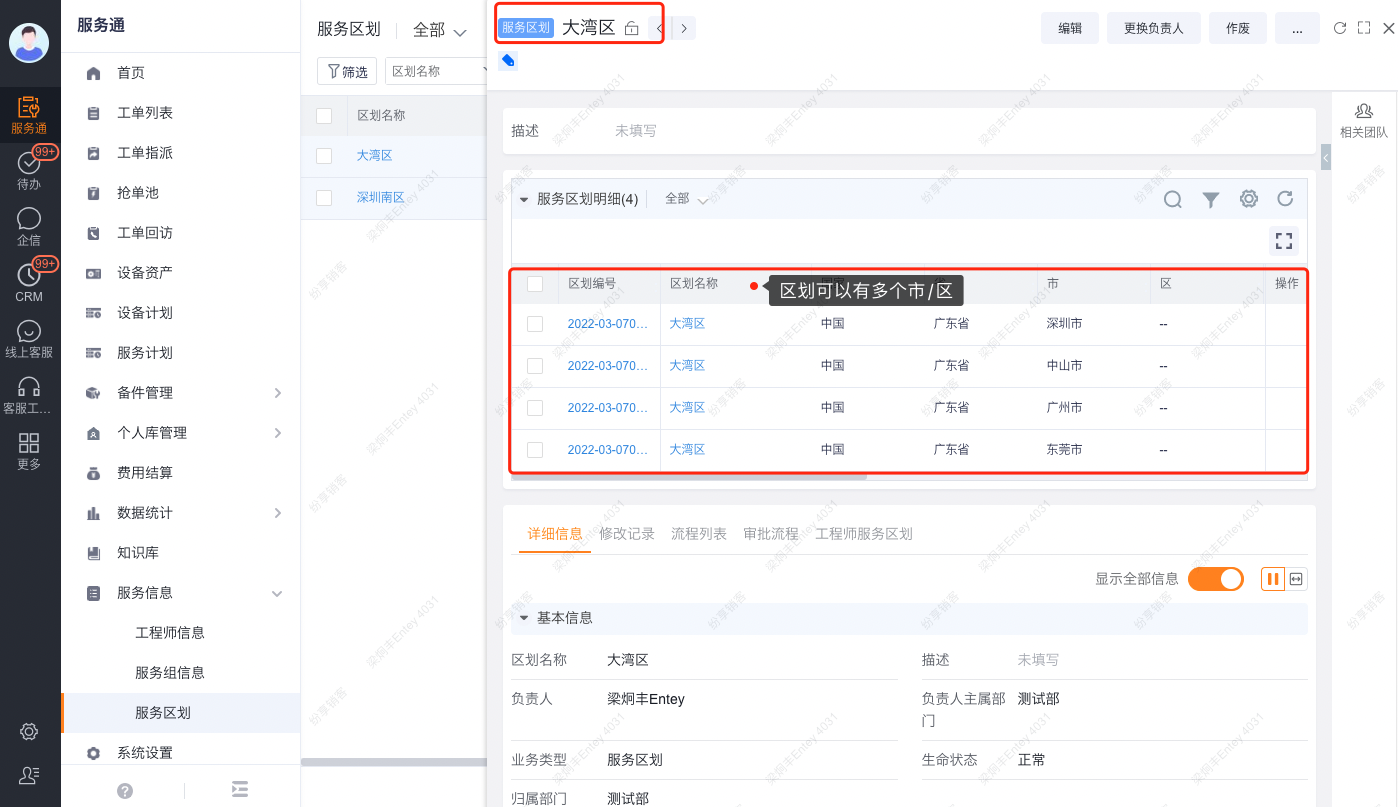
Predefined objects: [Service Area] (parent) and [Service Area Detail] (Sub-object), used to store your organization’s service area definitions.
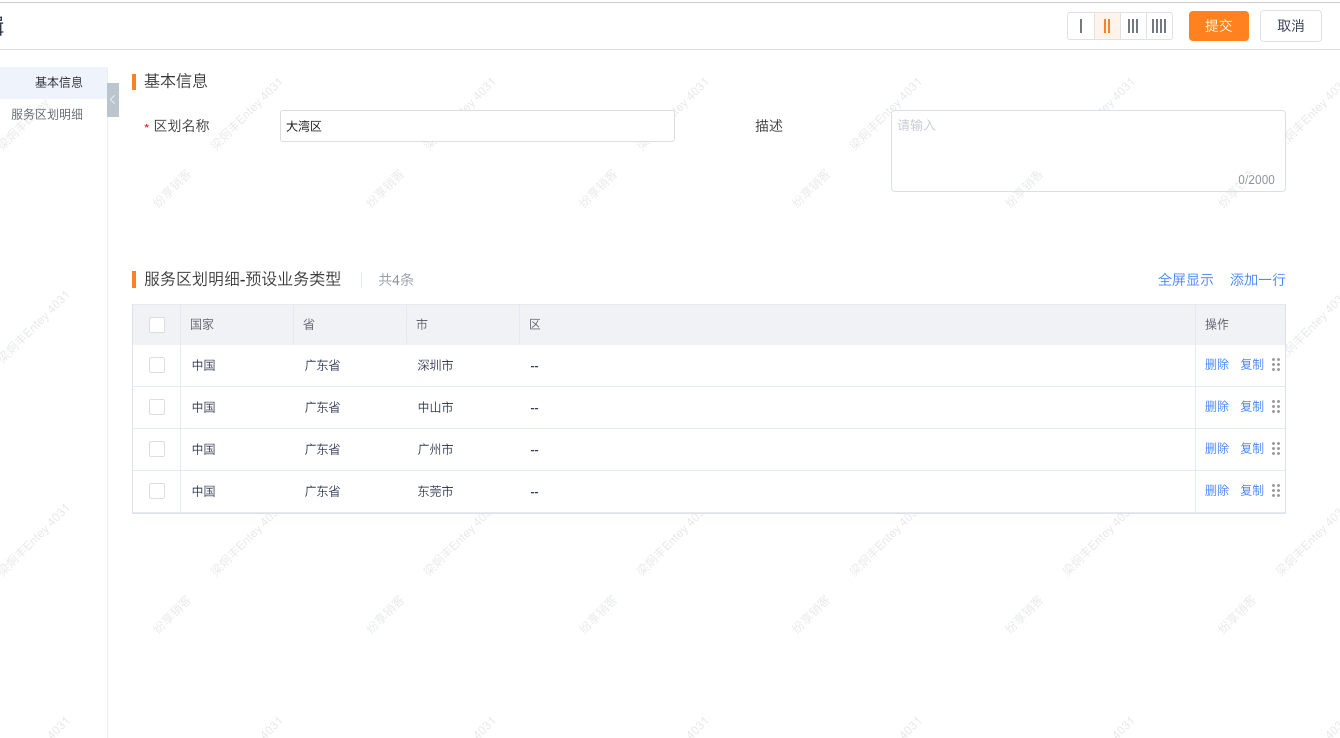
Service Area: Name according to your company rules. One Service Area can include multiple Service Area Details. Each detail can be scoped down to city or district level.
To create a Service Area: click New, enter the Service Area name, and add the regions that belong to this Service Area.
3. Assign Service Areas
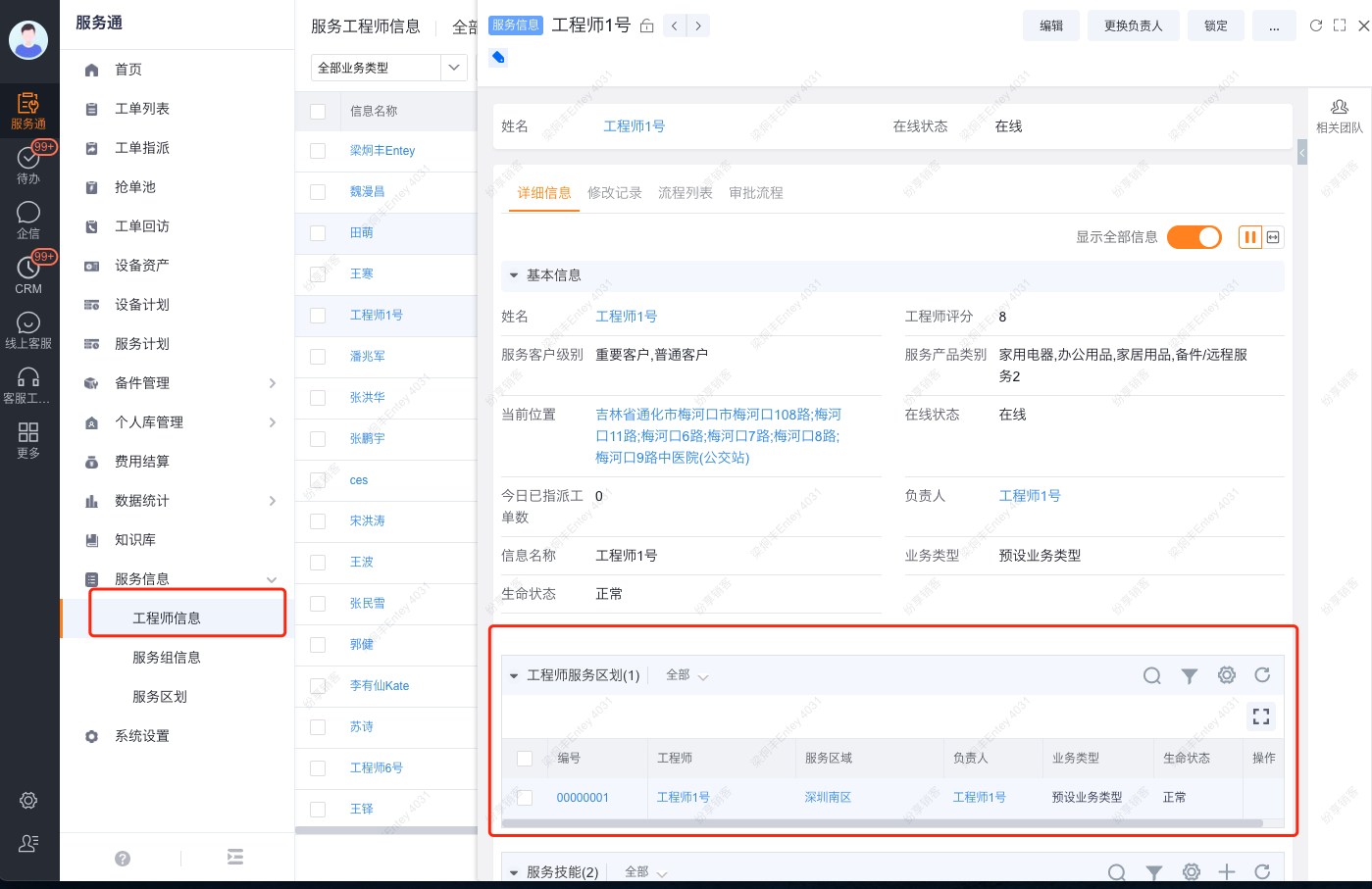
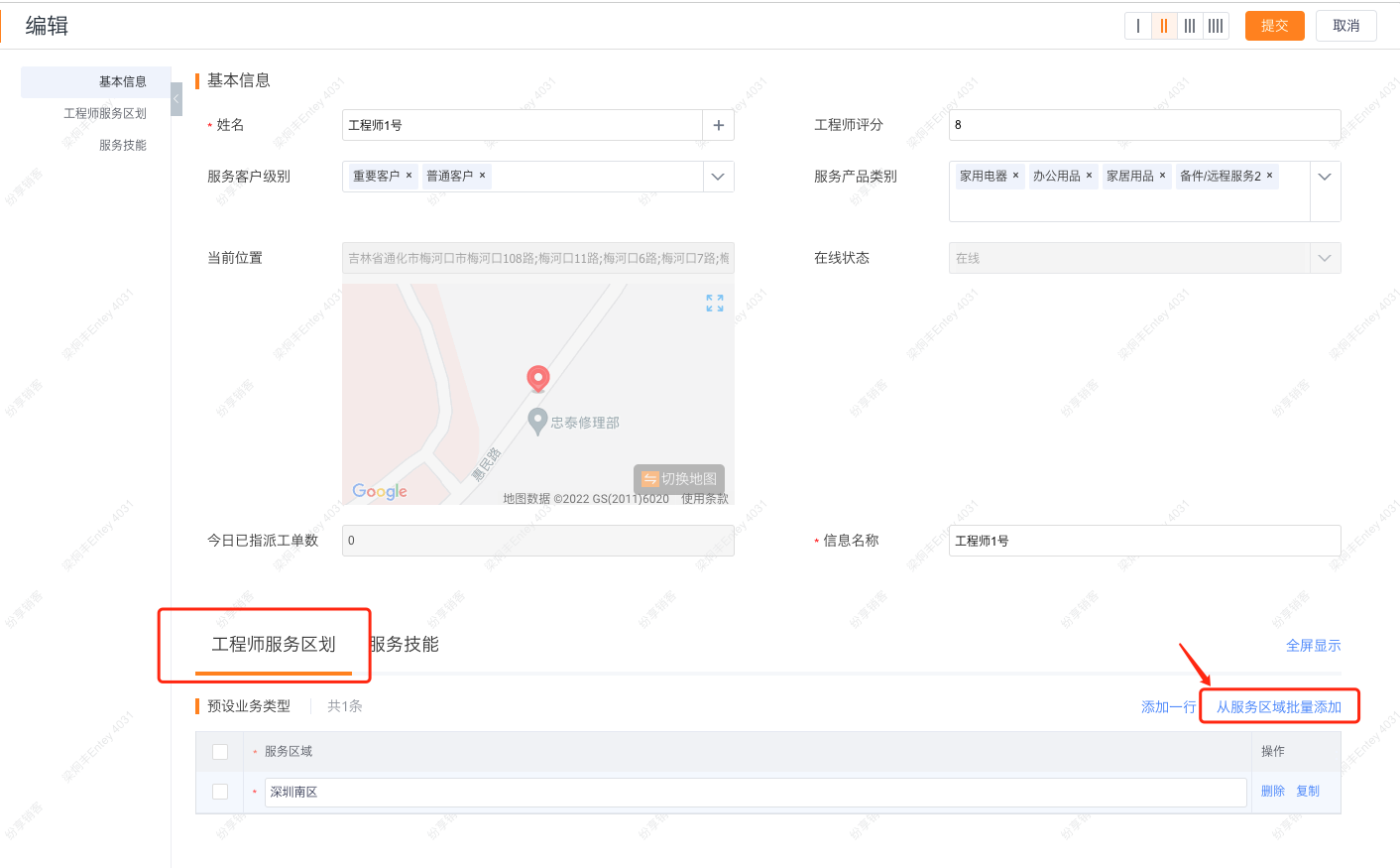
After defining Service Areas, assign them to technicians. Go to Service Connector -> Technician Records, edit a technician, and add the Service Area coverage for that technician.